
1. Introduction to Network Diagnostic Engineering
Even meticulously designed Oracle Cloud Infrastructure (OCI) network architectures encounter operational failures due to routing misconfigurations, missing Security List rules, stateless firewall return-path drops, asymmetric firewall routes, or BGP tunnel flaps.
When an application times out, an API request returns Connection Refused, or cross-region database replication fails, systematic troubleshooting is required to isolate whether the failure originates at Layer 3 (Routing/Gateways), Layer 4 (Security Lists/NSGs), or Layer 7 (Load Balancers/DNS).
This article provides a practical diagnostic reference covering 5 real-world production failure scenarios, complete with root cause analysis and step-by-step resolution workflows using the OCI Web Console.
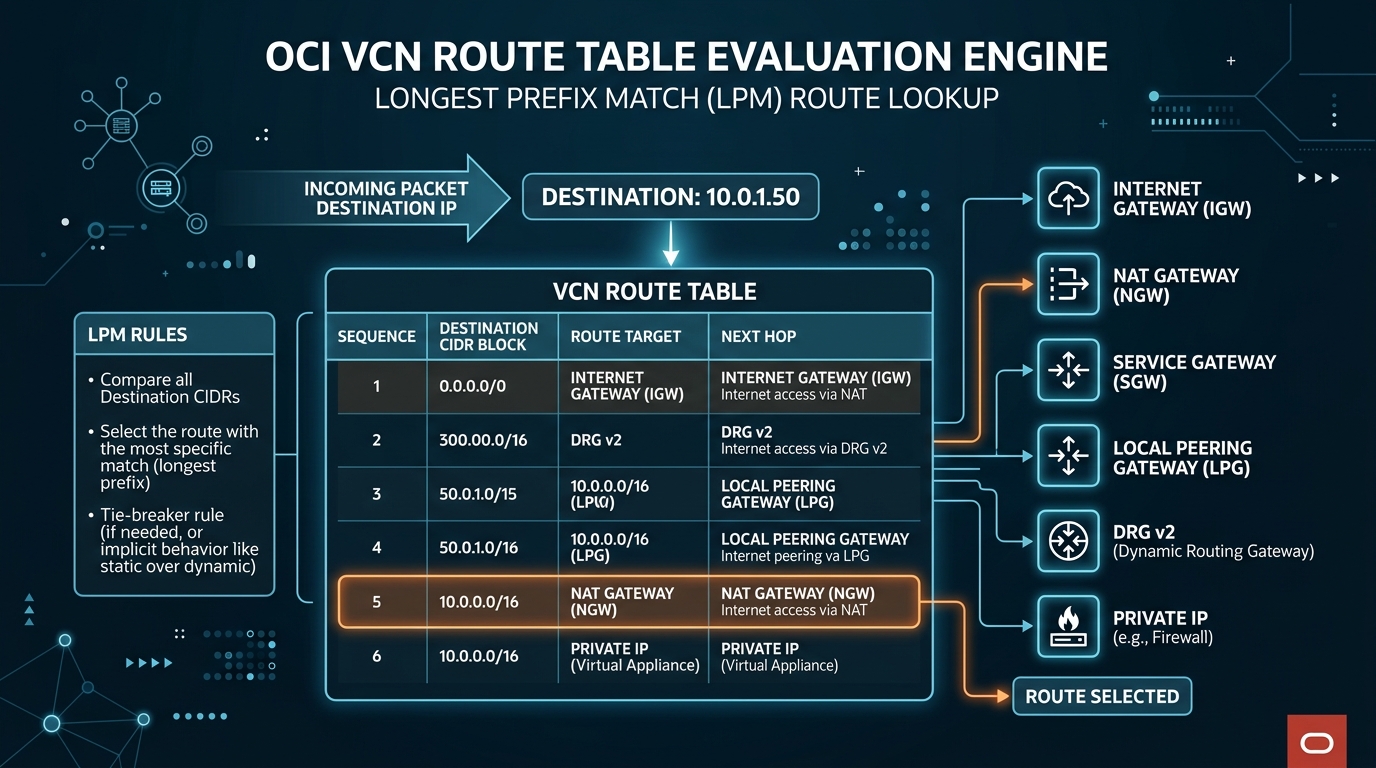
2. Real-World Production Break-Fix Scenarios
Scenario 1: The Asymmetric Routing Drop (Virtual Firewall Insertion Failure)
Symptom:
Application servers in VCN-Spoke-App (10.1.0.0/16) fail to query database servers in VCN-Spoke-DB (10.2.0.0/16). TCP connections time out during the initial handshake.
Root Cause Analysis:
Traffic was configured to route through a central VCN-Hub-Security inspect VCN containing two Palo Alto firewalls behind an OCI Network Load Balancer (NLB).
* Inspection of VCN Flow Logs revealed that request packets reached Palo-Alto-01 (10.0.1.10), which established an active TCP state entry.
* However, return packets from VCN-Spoke-DB were routed back to Palo-Alto-02 (10.0.1.11) because the NLB backend set had Preserve Source IP enabled without Source NAT (SNAT) rules configured on the firewalls. Palo-Alto-02 dropped the return packets as out-of-state violations.
Resolution Workflow:
- Log in to the OCI Web Console ➔ Networking ➔ Network Load Balancers.
- Select
NLB-Firewall-Ingress➔ Click Backend Sets ➔ SelectBES-Firewall-Pool. - Click Edit:
- Change Load Balancing Algorithm to 3-Tuple Hash (Source IP, Destination IP, Protocol).
- Ensure Preserve Source IP is toggled off (or configure SNAT policies on Palo Alto interfaces so return traffic is forced back to the initiating firewall).
- Click Save Changes. Test connection with
nc -zv 10.2.1.50 1521; TCP handshake completes instantly.
Scenario 2: Stateless Security List Return Traffic Lockout (Web Cluster Timeout)
Symptom:
Operators deployed a high-performance analytics cluster in Subnet-Analytics using Stateless Security Rules for port 443. External web clients initiate TCP connections, but HTTP responses are never received by browsers.
Root Cause Analysis:
The operator created a stateless ingress rule allowing incoming port 443 traffic:
Ingress: Source 0.0.0.0/0 ➔ Destination TCP 443 (Stateless: YES)
Because the rule was Stateless, the OCI SmartNIC bypassed connection tracking (conntrack). When the analytics server generated response packets back to the client’s ephemeral port (e.g., 10.0.1.15:443 $\rightarrow$ 203.0.113.5:54210), OCI evaluated egress rules. Because no matching egress rule existed for ephemeral ports 1024-65535, the SmartNIC dropped all outbound response packets.
Resolution Workflow:
- Navigate to Networking ➔ Virtual Cloud Networks ➔ Select
VCN-Analytics. - Select Security Lists ➔ Click
SL-Analytics-Subnet. - Click Add Egress Rules:
- Stateless: Checked (Stateless).
- Destination Type: CIDR (
0.0.0.0/0). - IP Protocol: TCP.
- Source Port Range:
443. - Destination Port Range:
1024-65535(Ephemeral Ports). - Click Add Egress Rules. Outbound analytics streams resume immediately.
Scenario 3: Missing DRG Route Distribution (Cross-VCN Transitive Peering Failure)
Symptom:
A newly created spoke VCN (VCN-Spoke-Analytics: 10.3.0.0/16) was attached to an existing DRG v2 (DRG-Hub-Ashburn). Instances in VCN-Spoke-Analytics cannot communicate with instances in VCN-Spoke-Prod (10.2.0.0/16).
Root Cause Analysis:
Although the VCN Attachment for VCN-Spoke-Analytics was created, the DRG Import Route Distribution assigned to DRG-RT-Spokes was not configured to dynamically import routes from the new attachment. As a result, DRG-Hub-Ashburn had no route entry for 10.3.0.0/16 in its lookup table.
Resolution Workflow:
- Navigate to Networking ➔ Dynamic Routing Gateways ➔ Select
DRG-Hub-Ashburn. - Under Resources, click DRG Route Tables ➔ Select
DRG-RT-Spokes. - Click Import Route Distribution ➔ Click Edit Import Route Distribution.
- Add Statement:
- Match Criteria: Select VCN Attachments (or select All Attachments).
- Click Save Changes.
- Select DRG Route Table Rules inside
DRG-RT-Spokesto verify that10.3.0.0/16now appears with state Active.
Scenario 4: Private DNS Hybrid Forwarding Timeout (Inbound Endpoint Security List Block)
Symptom:
On-premises developers attempt to resolve an OCI database hostname (db-primary.prod.oci.company.com), but the query times out. On-premises Active Directory DNS servers report Server Failure (SERVFAIL).
Root Cause Analysis:
The on-premises DNS server was configured with a conditional forwarder pointing to the OCI Private DNS Inbound Endpoint IP (10.0.2.250). However, the Security List guarding Subnet-Private-Regional (where the Inbound Endpoint resides) lacked an ingress rule permitting UDP/TCP port 53 traffic from the on-premises DNS subnet (192.168.1.0/24).
Resolution Workflow:
- Open Navigation Menu
≡➔ Networking ➔ Virtual Cloud Networks ➔VCN-Production-Ashburn. - Select Security Lists ➔ Click
SL-Private-Subnet. - Click Add Ingress Rules:
- Source Type: CIDR (
192.168.1.0/24– On-Premises DNS Subnet). - IP Protocol: UDP (and add second rule for TCP).
- Destination Port Range:
53. - Click Add Ingress Rules. On-premises
dig @10.0.2.250 db-primary.prod.oci.company.comnow resolves instantly.
Scenario 5: BGP Tunnel Flapping over Site-to-Site VPN
Symptom:
An IPSec Site-to-Site VPN connection to an on-premises Fortinet firewall flaps continuously every 90 seconds. BGP session status oscillates between UP and DOWN.
Root Cause Analysis:
Inspection of Fortinet firewall system logs showed a BGP Hold Timer mismatch:
* OCI DRG v2 advertises a default BGP Keepalive of 30 seconds and a Hold Time of 90 seconds.
* The on-premises Fortinet router had a custom BGP Hold Time configured for 15 seconds. Because the firewall expected keepalive packets faster than OCI’s 30-second transmission interval, it declared the peer dead and tore down the IPSec SA every 90 seconds.
Resolution Workflow:
- Log in to the On-Premises Fortinet Firewall CLI.
- Update BGP neighbor timers to match OCI standard defaults:
text

config router bgp

config neighbor 10.255.0.1

set keep-alive-timer 30

set holdtime-timer 90

end

end - In OCI Console ➔ Networking ➔ Site-to-Site VPN ➔ Select
VPN-HQ-To-Ashburn. - Verify BGP IPv4 Status: Tunnel 1 and Tunnel 2 transition to UP / Established and remain stable.
